
Achieving eLearning 508 Compliance
150-200 Employees
Target Audience
3 Months
Timeline
75% Pass Rate
Goal
Storyline 360
Tools
Meet Kara
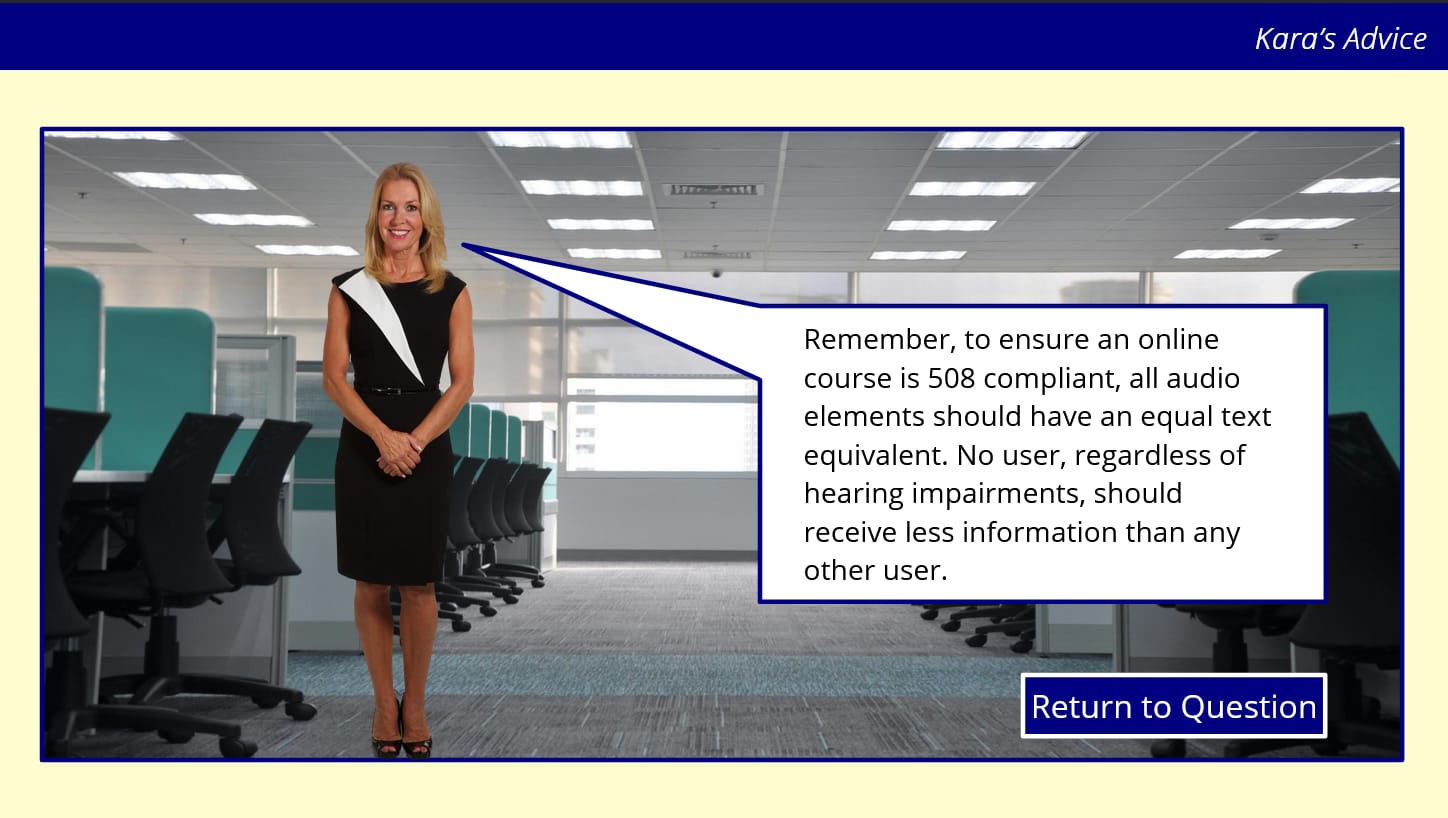
Kara is the Digital Accessibility QA Specialist who guides learners through the course. She provides hints, suggestions, and encouragement as students troubleshoot various accessibility issues.
In an increasingly remote workforce, a digital mentor character provides gentle guidance without ordering students, making asynchronous learning feel more personal and supportive.

The Challenge
Action Mapping
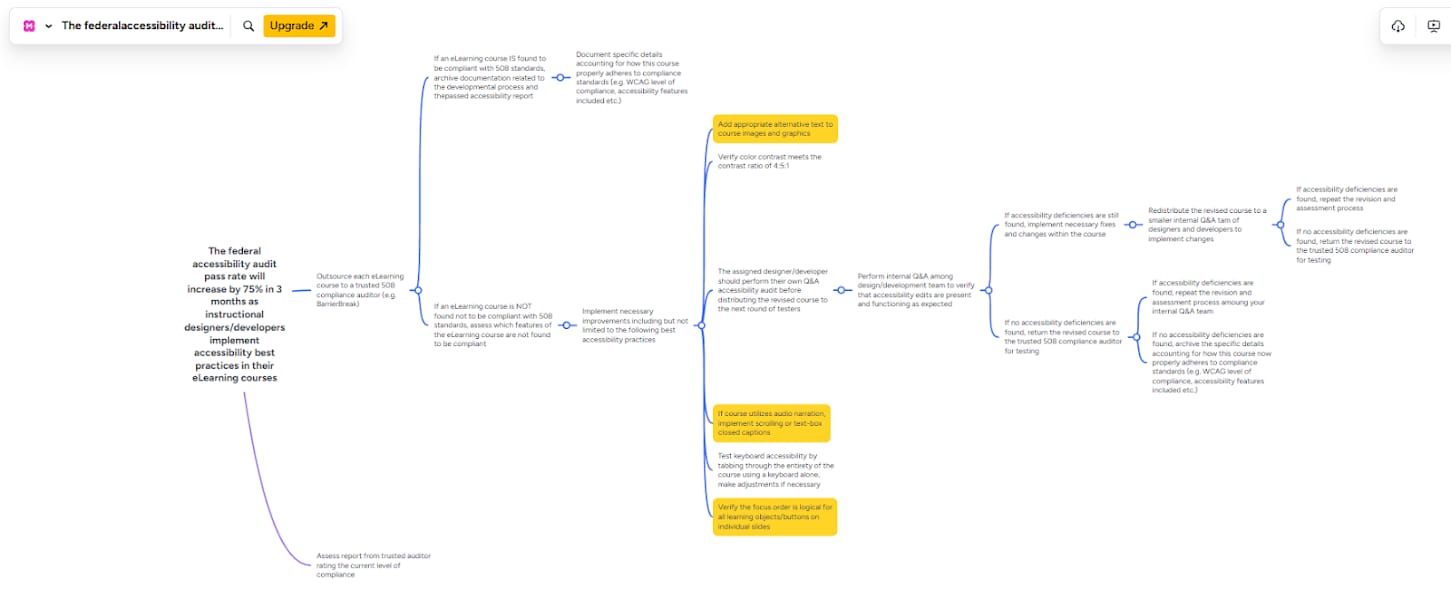
01
Alternative Text
02
Closed Captions
03
Focus Order
The ADDIE Process
Analyze
Analyze the problem to be insufficient organization knowledge regarding common digital accessibility practices and the ability to implement them in design
Design
Design a text-based storyboard that fleshes out the primary content, actions, and characteristics of the training
Develop
Developed an eLearning module, primarily using the Storyline 360 tool
Implement
Implemented the module by uploading it to a self-hosted site
Evaluate
Shared the module for Evaluation with my stakeholders and made revisions as necessary
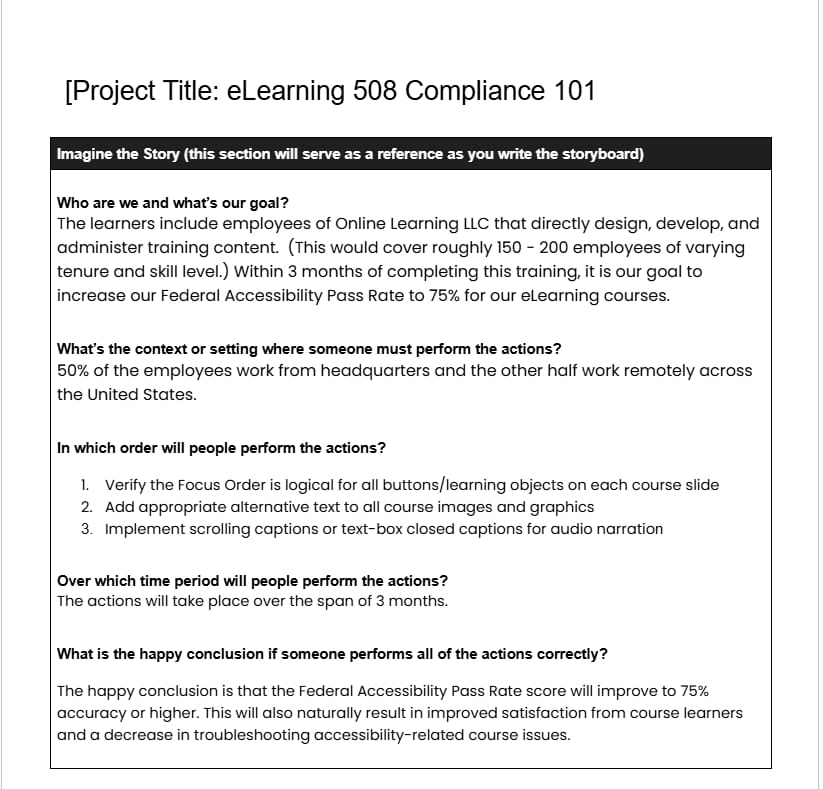
Text-based Storyboard
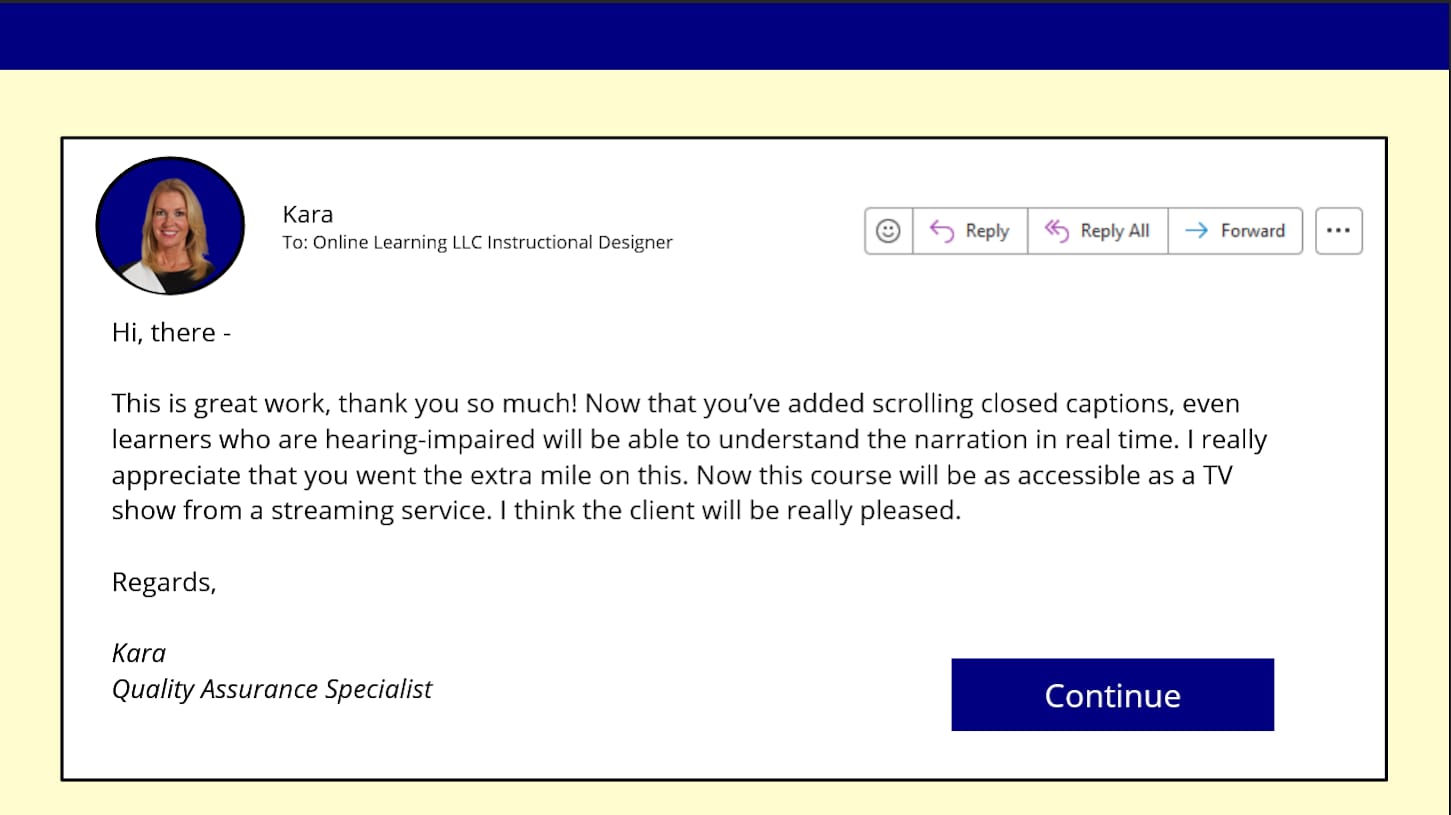
Next, I fleshed out a text-based storyboard that could walk a student through my client’s scenario. I placed the student in the role of an Instructional Designer who works for Online Learning LLC. Their theoretical manager is upset because the organization has failed an accessibility audit for an important government client. The manager needs the student to work with Kara (a Digital Accessibility QA specialist and mentor) to troubleshoot various issues that caused the audit failure. The student will walk through three common digital accessibility issues identified in the action map, including: missing closed captions, missing alternative text, and misconfigured focus order. They will also have constant access to Kara (a digital mentor), who can provide hints and suggestions for each specific problem. Purposely, they will receive immediate feedback based on the proposed solutions they take. These decisions could result in success and a relieved manager or failure and a negative impact on their career. If the learners make an incorrect choice, they will be guided towards the correct solution.
Mood Board & Mockups
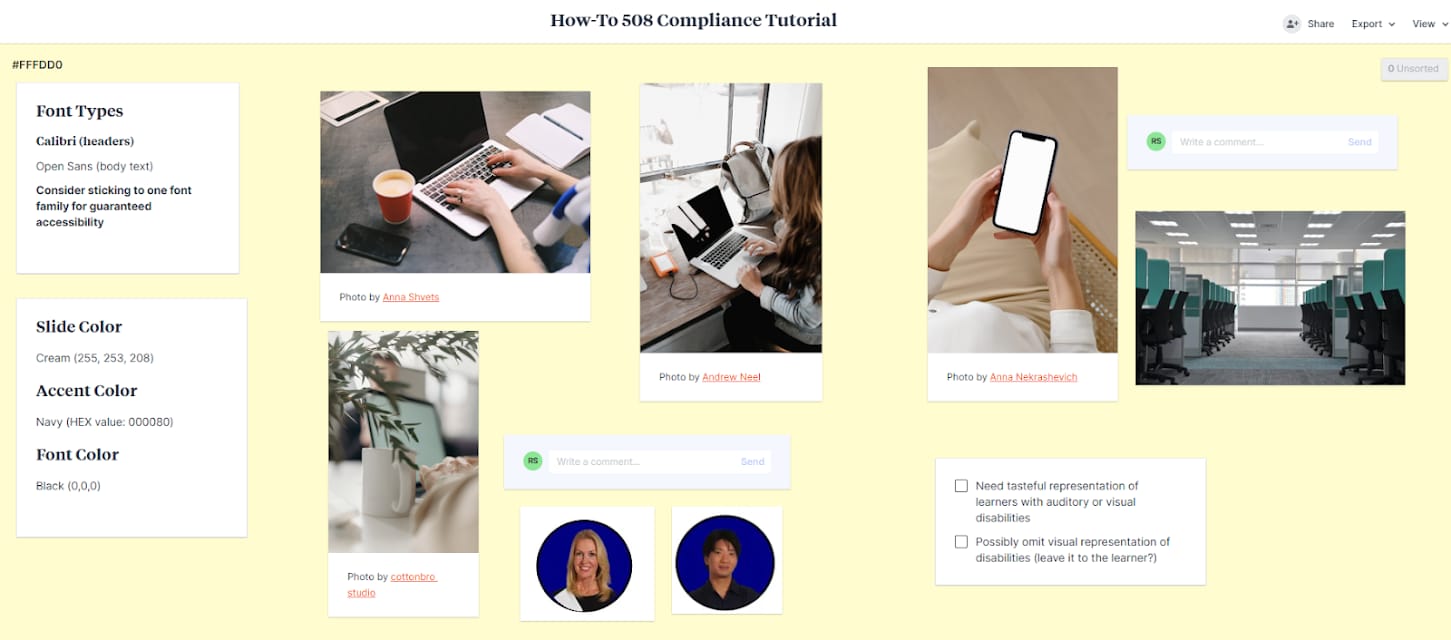
Following the mood board, I created several visual mockups of course slides in Storyline 360 to create the most intuitive user interface. Specifically, I created examples of Question Slides, Mentor Slides, and Feedback Slides.
Question Slides
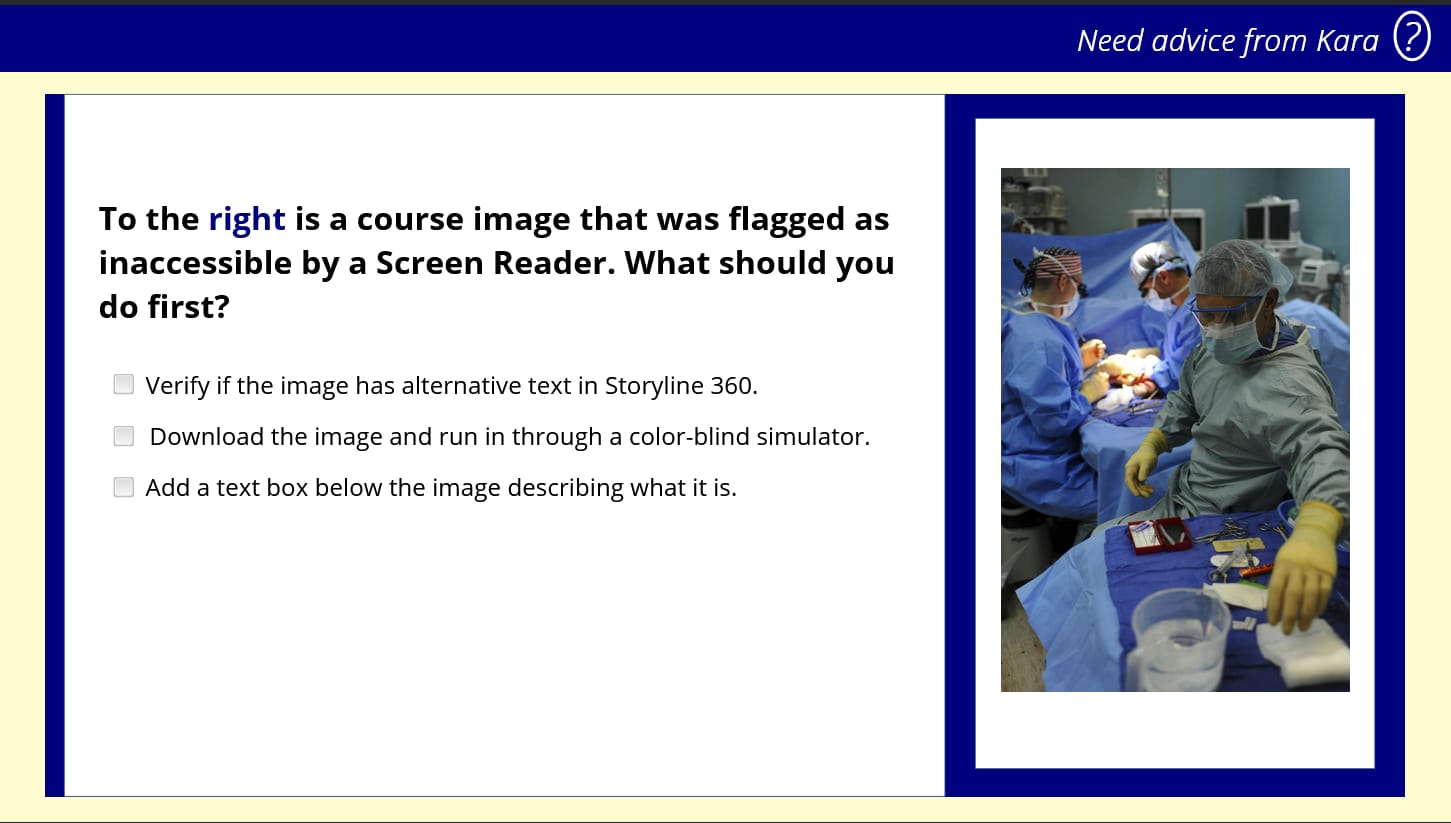
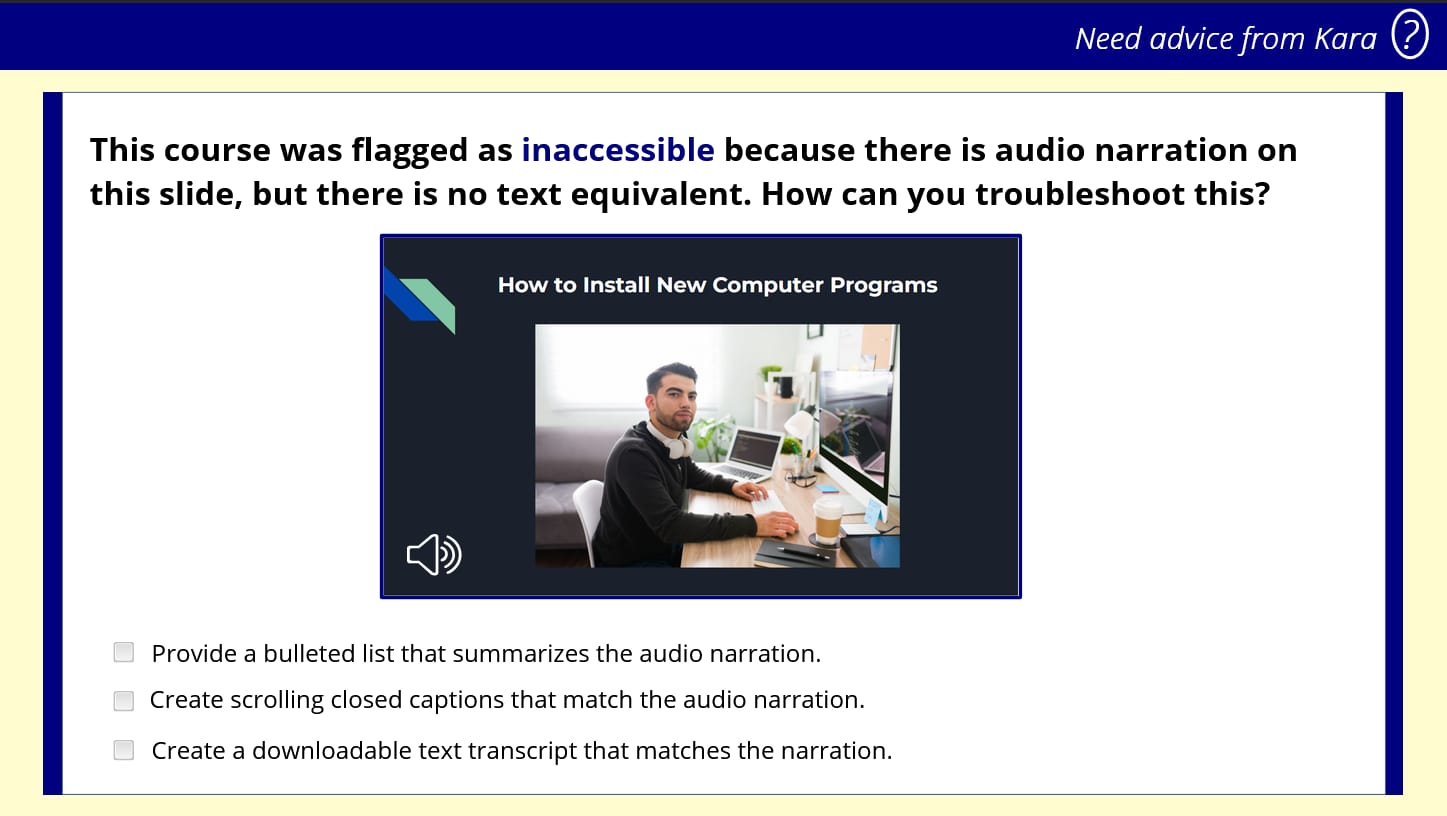
Interactive question slides challenge learners to troubleshoot accessibility issues
Mentor Slides
Interactive Prototype
Interactive Learning
After implementing the feedback from the prototype, I developed the entire project using Storyline 360 features, including animations, their text-to-speech AI voice generator, and the inclusion of video. I sought to enhance engagement and retention by having the student actively make selections to troubleshoot accessibility issues in real-time.
Closed Captions Challenge
Immediate Feedback
Development in Storyline 360
Results & Takeaways
Since this eLearning is a conceptual project, I would conduct user testing among professionals working in Instructional Design, Professional Development, or academia. From there, I would make tweaks as needed to the learning activities to ensure that the questions are providing a practical, real-world experience for prospective students.
Designing this project opened my eyes to the rich benefits of scenario-based questions that encourage students to practice newfound skills immediately. Additionally, in an increasingly remote workforce, I see benefits in a digital mentor character whose purpose is to gently guide, not order, the students on the right path. This knowledge will guide my future projects as a designer aiming to make asynchronous experiences as realistic as possible.
Ready to Experience the course ?
Explore the full interactive eLearning module and see how accessible design principles come to life.